
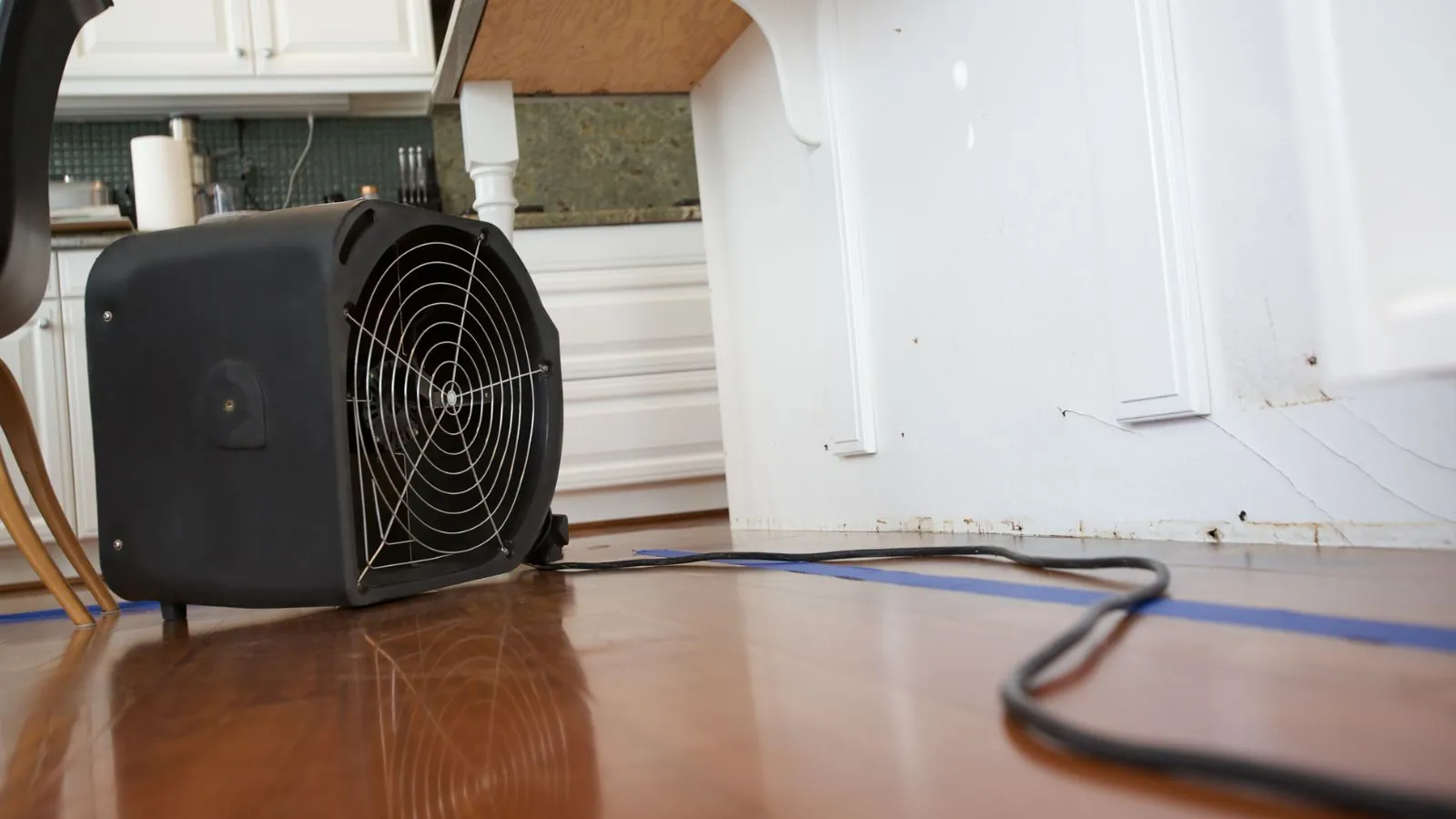
Unplug nothing that is standing in water, and do not plug anything wet back in. Federal guidance is blunt on both points: the Consumer Product Safety Commission says not to touch wet appliances that are still plugged into an electrical source, and ready.gov says not to touch electrical equipment if it is wet or if you are standing in water.
After that, saving a device is a question of what got wet, what kind of water it was, and how much the contents are worth. This guide covers the safety order of operations, a save or replace table for common devices, and the mistakes that finish off a device that might have lived.
Power first: what to do before you grab a single device
Stay out of any room where water is touching outlets, power strips, appliances or the electrical panel. Water and live current can reach you through the floor water itself, not only through a device.
Cut power only if the panel is dry and you can reach it without stepping through water. ready.gov says to shut off electricity if it is safe to do so. If the panel is wet, the floor is flooded between you and the panel, or you smell burning or gas, leave and call 911 or your electric or gas utility before you call anyone else.
Do not use a generator indoors. ready.gov says gasoline-powered equipment belongs outdoors and away from windows. Do not carry wet electronics through standing water to get them out.
- Dry panel and dry floor path: switch off the affected circuits or the main.
- Wet panel, standing water or any sparking: leave the area and call 911 or the utility.
- Smell of gas: leave at once and call the gas company from outside.
Save or replace: a quick decision table
The table sorts common household devices by what to do first and whether replacement is the safer default. It is a starting point for a decision, not a repair promise, since only a technician who opens the device can see the corrosion inside.
| Device | First move | Save or replace |
|---|---|---|
| Phone or tablet | Power off, do not charge, remove case | Repair shop for the data, replace if the water was dirty |
| Laptop | Power off, unplug, remove battery if removable | Technician assessment, back up first if it powers on later |
| TV or monitor | Leave unplugged and stay off wet floors | Replace if it sat in water or was in a flooded room |
| Game console, router, small gear | Unplug only from a dry outlet | Often replace, data usually lives in the cloud |
| Refrigerator, washer, dishwasher | Do not run, have a professional inspect | Depends on how high the water rose |
| Power strips and extension cords | Discard if they were wet | Replace, they cost little |
| Wiring, breakers, outlets under water | Do not use | Federal guidance says replace |
The last row comes straight from the Consumer Product Safety Commission, which advises replacing gas control valves, electrical wiring, circuit breakers and fuses that have been under water. A licensed electrician makes that call, not the homeowner.
Water and power in the same room?
Clear the electrical hazard with 911 or the utility first, then call (732) 352-9660 for the water.
Phones and tablets
Most wet phones fail slowly. A phone can power up after a splash and die a day later as corrosion creeps across the board. Power it off right away, do not press buttons, and do not charge it.
Remove the case, the SIM tray and any removable card, and pat the outside dry with a soft cloth. Skip the bag of rice, since none of the federal sources cited here recommends it as a drying method, and it leaves dust in the ports.
If the photos or contacts matter, take the phone to a repair shop and ask for data recovery before you ask about a fix. The same step applies if the phone fell into dirty water such as a flooded basement or a sewage backup. Contaminated water tends to leave residue that is hard to clean from a circuit board.
Laptops, desktops and drives
Laptops tolerate less than people hope. A wet keyboard can let water reach the board and the battery, and a charger plugged in at that moment can make things worse. Unplug the charger from a dry outlet, shut the machine down, and remove the battery if it comes out without tools.
A desktop tower on the floor of a wet room is a different case. If water reached the case, leave the whole thing unplugged and get it opened by a technician instead of testing it. Pulling the drive is often the cheapest way to keep your files.
External drives with spinning platters and sealed cases still deserve a technician if the files matter. Do not plug in a wet drive to see if it mounts, because a failed attempt can damage the data you were trying to save.
TVs, consoles and everything with a power brick
Large screens and set-top equipment often sit on low furniture, which is exactly where a basement or first-floor leak lands. If water touched the base of a TV, treat it as wet inside even if the screen looks fine.
Unplug it only from an outlet that is dry and reachable without standing in water. If you cannot do that, leave it for the person who cuts the circuit. After drying, a repair estimate on a mid-priced TV often costs more than the set is worth, so replacement is the sensible default for inexpensive gear.
Power bricks and surge strips are a separate hazard. Anything that held water inside the plastic housing should be thrown out, not dried and reused.
Refrigerators, washers and other major appliances
A large appliance that was splashed from above is a different problem from one that sat in rising water. If the water reached the motor, control board or wiring, do not turn it on. The Consumer Product Safety Commission says to have a professional or your gas or electric company evaluate your home before using appliances again.
Kitchen losses concentrate the issue. A dishwasher supply failure or refrigerator line leak puts water at floor level where outlets, ranges and controls live. A crew handling kitchen water damage restoration checks the cabinets, the subfloor and the walls behind these appliances, and the electrician or appliance technician clears the equipment itself.
Keep the model and serial numbers, and photograph the labels. They are what an insurer or a repair shop asks for first.
Mistakes that finish off a wet device
Three mistakes show up more than any others. The first is plugging a wet device in to see whether it works. Current through wet circuitry can shock you and ruin hardware that might have been recovered.
The second is heat. A hair dryer, an oven or a space heater can warp parts, drive water deeper into the case and melt adhesives. The third is waiting. Water that sits inside a phone or laptop corrodes metal contacts by the hour, so a device taken to a shop the same day fares better than one left on a shelf for a week.
If a smell of burning or a pop comes from an outlet or the panel at any point, stop and call 911 or the utility.
What Marlboro homeowners should know
The Monmouth County hazard mitigation plan for Marlboro Township notes that power outages affect the township water plants, and that generators were installed at the Harbor Road wells 3 and 4. The takeaway for a homeowner is that storms hit power and water at the same time, so plan for a dark house with a wet floor.
If a service problem on the water side is the source, the township water utility page says off-hours water emergencies go to Marlboro Township Police. If the problem is electrical, the call goes to your electric utility and 911, not to a restoration company.
The same plan reports about 4.9% of the township in the 1% annual-chance floodplain, so check the FEMA flood map for your address. A crew from Eatontown or Freehold can reach Marlboro addresses for flood damage restoration after the electrical hazard is cleared. Ask your insurer whether electronics fall under contents coverage, because flood damage is usually excluded from standard homeowners policies and needs separate flood coverage.
Documenting devices before you discard them
Photograph each wet device where it sits, with the water line visible, then photograph the label with model and serial numbers. Write down the approximate age and what it held. This record is useful for an insurance conversation and for you, since people forget what was in the closet.
Keep a ruined appliance until your insurer has said what it needs. Some adjusters want to see damaged items, and tossing them early can slow things down.
Once the room is safe, water extraction and drying matter as much as the electronics, because a floor and walls left damp will corrode the replacement gear you bring in next month. Call (732) 352-9660 to describe what you see.
Wet device questions
Not if you have to stand in water to do it. The Consumer Product Safety Commission says not to touch wet appliances still plugged into an electrical source, and ready.gov says not to touch wet electrical equipment or touch it while standing in water.
Cut power at the panel only if the panel is dry and reachable. Otherwise call 911 or your electric utility.
None of the federal sources used for this guide recommends it. Power the phone off, keep it off the charger, remove the case and SIM tray, and take it to a repair shop the same day if the data matters.
Rice can leave starch dust in ports, and waiting to try it delays the one step that does help, which is getting a technician to open the device.
Sometimes, but it takes a technician to open it, and the repair often costs more than a replacement on a mid-range set. If water reached the base or the back panel, do not plug it in to test it.
A TV from a room with Category 3 water, such as sewage, is almost always a replace case.
The Monmouth County hazard mitigation plan notes that power outages affect the township water plants, and it lists generators at the Harbor Road wells 3 and 4. For a homeowner, that means a storm can leave you without power and with water problems at once.
For off-hours water emergencies, the township water utility directs callers to Marlboro Township Police.
Check your policy. Sudden and accidental water damage, such as a burst pipe, is often covered, including contents in some cases. Flood damage is usually excluded and needs separate flood coverage through the National Flood Insurance Program or a private policy.
Ask your insurer about contents limits and what documentation it wants for electronics.
A licensed electrician or your electric utility, not a restoration crew. The Consumer Product Safety Commission advises having a professional or your gas or electric company evaluate your home before using appliances, and replacing wiring, breakers and fuses that were under water.
Restoration crews handle drying and cleanup once the electrical question is settled.
Devices sorted, floor still wet?
Call (732) 352-9660 and describe the room. Extraction and drying protect the equipment you replace.